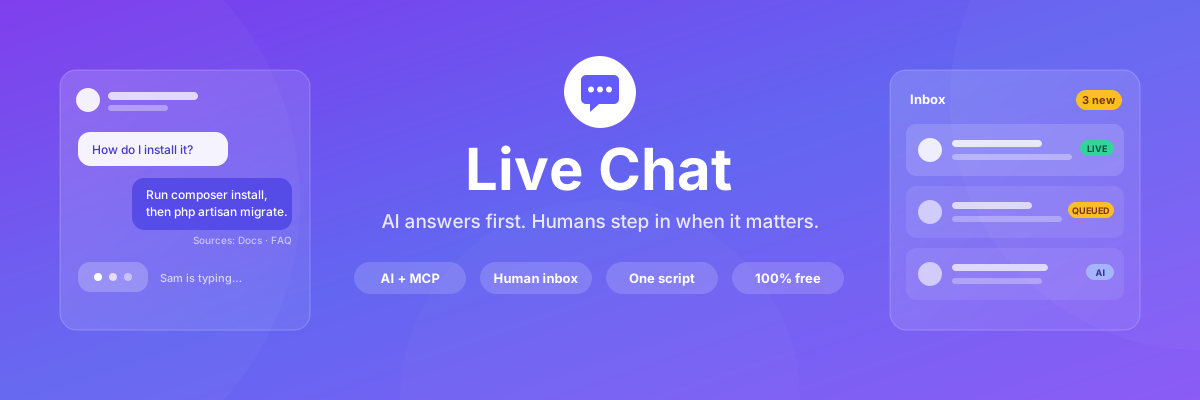

Live Chat
PROBy Lara Dashboard

LaraDashboard Live Chat: overview
AI answers from your own FAQ and docs, one-tap human handoff, a live inbox with typing previews, saved replies, internal notes and ratings.
About this module
Live Chat
AI support widget for LaraDashboard — answer from your products, docs, and MCPs; escalate to humans when it matters.
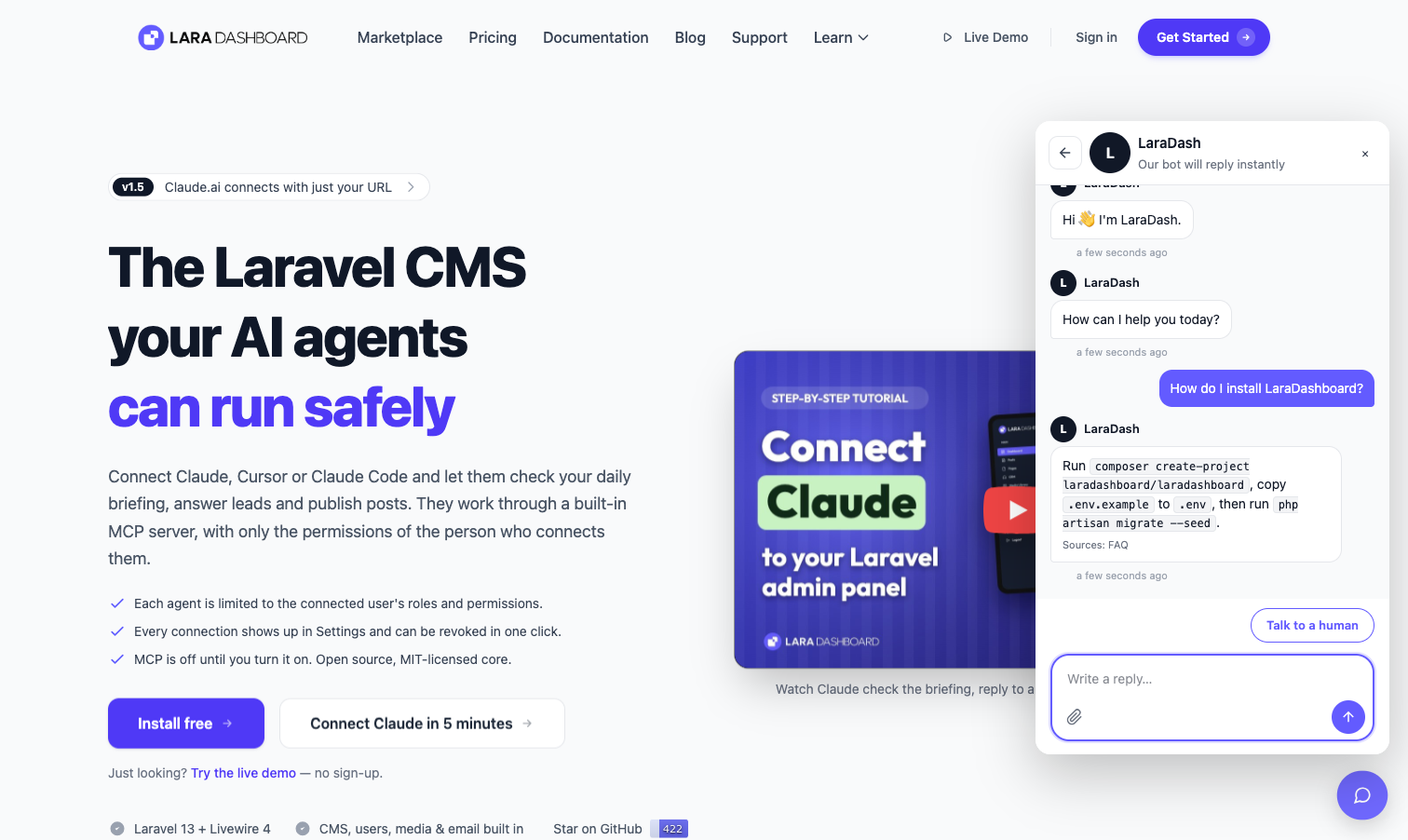
Drop one script tag on any page and visitors get a floating chat launcher. The AI answers first, grounded in knowledge you control. When it cannot help — or the visitor simply asks for a person — the same thread moves to a human agent with the full transcript intact. If nobody is online, the conversation becomes a lead: a CRM ticket when the CRM module is installed, or an email to your team.
Everything in this module is free. There is no paid tier, no message cap, and no locked feature.
Quick start
- Enable the module — migrations run automatically.
- The chat launcher appears on every public page of your LaraDashboard site straight away (never on admin pages). Change or turn this off under Live Chat → Settings → Install → Show on this website.
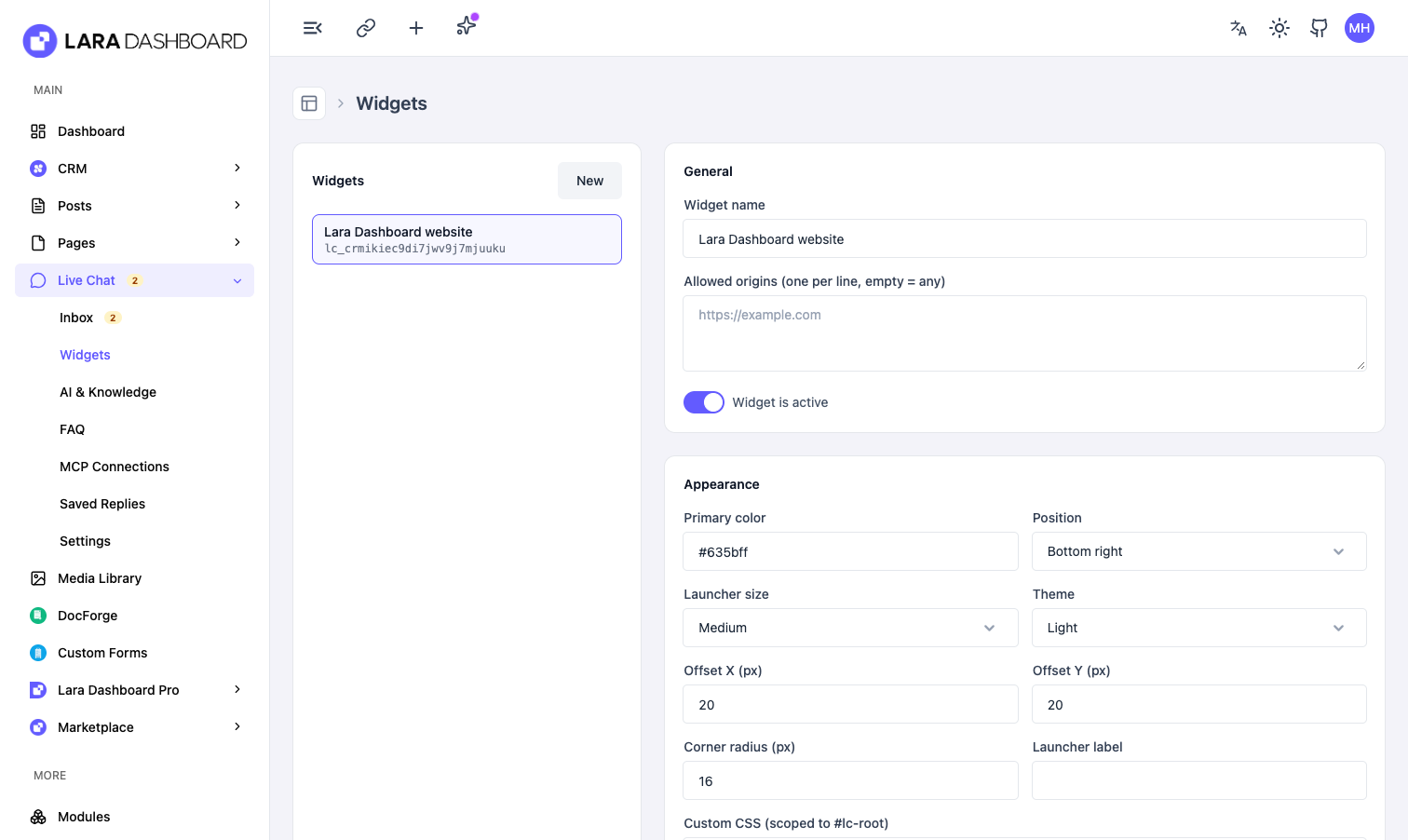
- Open Live Chat → Widgets to tune Home screen, Appearance, and Copy.
- Want the chat on another website? Copy the Install snippet from the same page and paste it before
</body>.
Minimal embed
<script
  src="https://your-domain.com/livechat/widget.js"
  data-site-key="lc_xxxxxxxx"
  async
></script>
Replace your-domain.com with your LaraDashboard URL and lc_xxxxxxxx with the site key shown on the widget (Widgets list).
Optional script attributes
These override widget defaults for that page only:
| Attribute | Example | Purpose |
|---|---|---|
data-site-key |
lc_abc… |
Required. Identifies which widget config to load. |
data-position |
bottom-right |
bottom-right or bottom-left. |
data-primary-color |
#635bff |
Launcher and accent color. |
data-mode |
ai |
ai (assistant first) or live (human queue). |
data-open |
false |
true opens the panel on load. |
data-greeting |
Hello! |
Overrides the widget Chat welcome for this page (supports {agent}; see below). |
data-user-name |
Jane Doe |
Visitor name (hero + inbox). See Logged-in visitors. |
data-user-email |
jane@example.com |
Visitor email (inbox, offline form). |
Example with common overrides:
<script
  src="https://your-domain.com/livechat/widget.js"
  data-site-key="lc_xxxxxxxx"
  data-position="bottom-right"
  data-primary-color="#635bff"
  data-mode="ai"
  data-open="false"
  async
></script>
The widget script is served at /livechat/widget.js (no front-end build step for embeds). The server bundles a small markdown formatter with the widget so AI and agent replies can render links and lists safely.
Home screen (first thing visitors see)
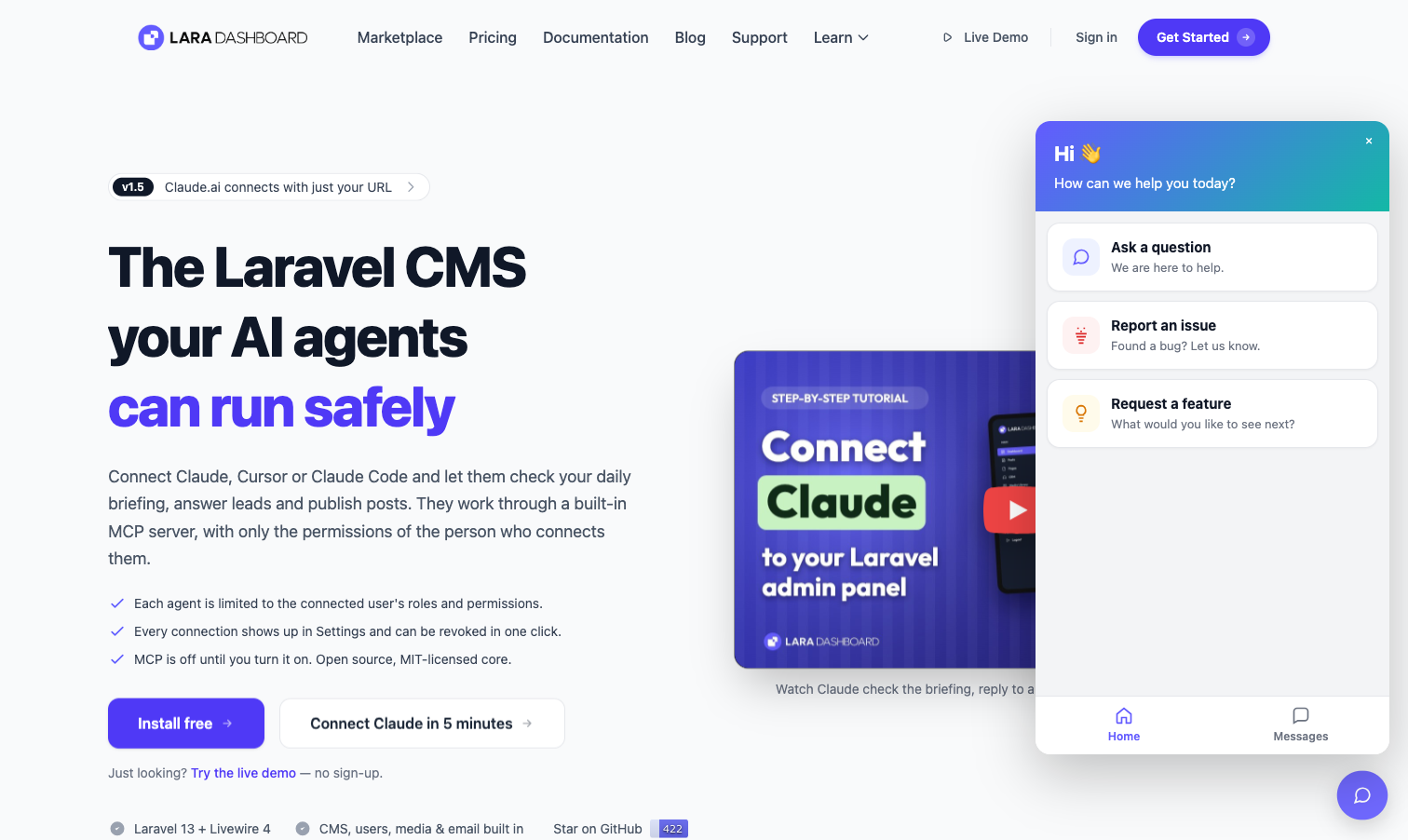
By default, opening the widget shows a Home hub (like a support menu), not chat immediately:
- Gradient hero with greeting and title
- Shortcut cards (e.g. Ask a question, Report an issue, Request a feature)
- Bottom tabs: Home and Messages (past conversations)
Configure under Admin → Live Chat → Widgets → Home screen:
- Turn the hub off to go straight to chat (legacy behavior).
- Edit hero text; use
{name}in the hero greeting for a personalized “Hi Jane 👋” when a name is known. - Each shortcut: enable/disable, title, subtitle, icon.
- Open chat — starts a conversation (optional subject for the inbox + optional prefilled first message in the composer).
- External link — opens a URL (new tab optional).
Visitors can rate closed chats (1–5 stars) and resume threads from the Messages tab.
A conversation is only created in the inbox after the visitor sends their first message. Opening a home shortcut or the chat composer alone does not create empty threads (shortcut subject is applied when they send).
When that first message creates the thread, the widget also posts one or two welcome messages from the assistant (configured under Widgets → Copy as Chat welcome and optional Chat welcome follow-up). Use {agent} in those strings for the assistant display name (set under Admin → Live Chat → AI & Knowledge; default LaraDash). The legacy Greeting field still works as a fallback when chat welcome is empty.
File attachments (visitors)
Visitors can attach one file per message from the widget composer: JPEG, PNG, GIF, WebP, PDF, or TXT, up to 5 MB. Images show inline; other files link for download. Agents see the same attachments in the inbox thread.
Logged-in visitors
If your site already knows who the user is, pass name and email on the script tag. The widget sends them when starting or updating a session so agents see real identity in the inbox (no extra API work on your side).
Laravel / Blade
<script
  src="{{ url('/livechat/widget.js') }}"
  data-site-key="lc_xxxxxxxx"
  data-user-name="{{ auth()->user()->full_name ?? auth()->user()->name }}"
  data-user-email="{{ auth()->user()->email }}"
  async
></script>
Only output these attributes when the user is authenticated; omit them for guests.
Set the widget Hero greeting to Hi {name} 👋 under Home screen so the home hub matches your reference designs.
Plain HTML or other stacks
data-user-name="Life"
data-user-email="life@example.com"
Generate those values server-side when you render the page (PHP, Node, etc.).
Login after the page loads (SPA / AJAX)
If identity is not available when the script loads, call this after login:
window.LivechatWidget.identify({
  name: 'Life',
  email: 'life@example.com',
});
This updates the home greeting and syncs name/email to the visitor record when a chat session already exists. You can also call identify before the user opens chat; the first session will include the details.
Identity verification (recommended)
Anyone can put any email in page source, so turn on Settings → Identity verification and sign the email on your server:
$userHash = hash_hmac('sha256', $user->email, config('services.livechat.secret'));
Pass it as data-user-hash="{{ $userHash }}" or identify({ email, user_hash }). Verified visitors get a Verified badge in the inbox, and unsigned data can never overwrite a verified identity. On your own LaraDashboard site this is done for you automatically.
Privacy: Name and email in HTML attributes are visible in page source, same as other embed widgets. Only pass data you are comfortable exposing to the browser.
Allowed origins (optional)
On the widget, Allowed origins restricts which sites may call the widget API. Leave empty to allow any origin. Set one origin per line, e.g. https://shop.example.com, when the embed lives on a different domain than LaraDashboard.
What you get
AI first, human as the safety net. The assistant answers from your connected knowledge and hands off automatically when it hits its turn limit, emits a handoff intent, or detects an escalation keyword like "refund" or "agent".
Small talk without an LLM call. Greetings, thanks, and similar short phrases are answered from a built-in catalog (config/common_phrases.php) so they never hit the “no documentation found” path or burn tokens.
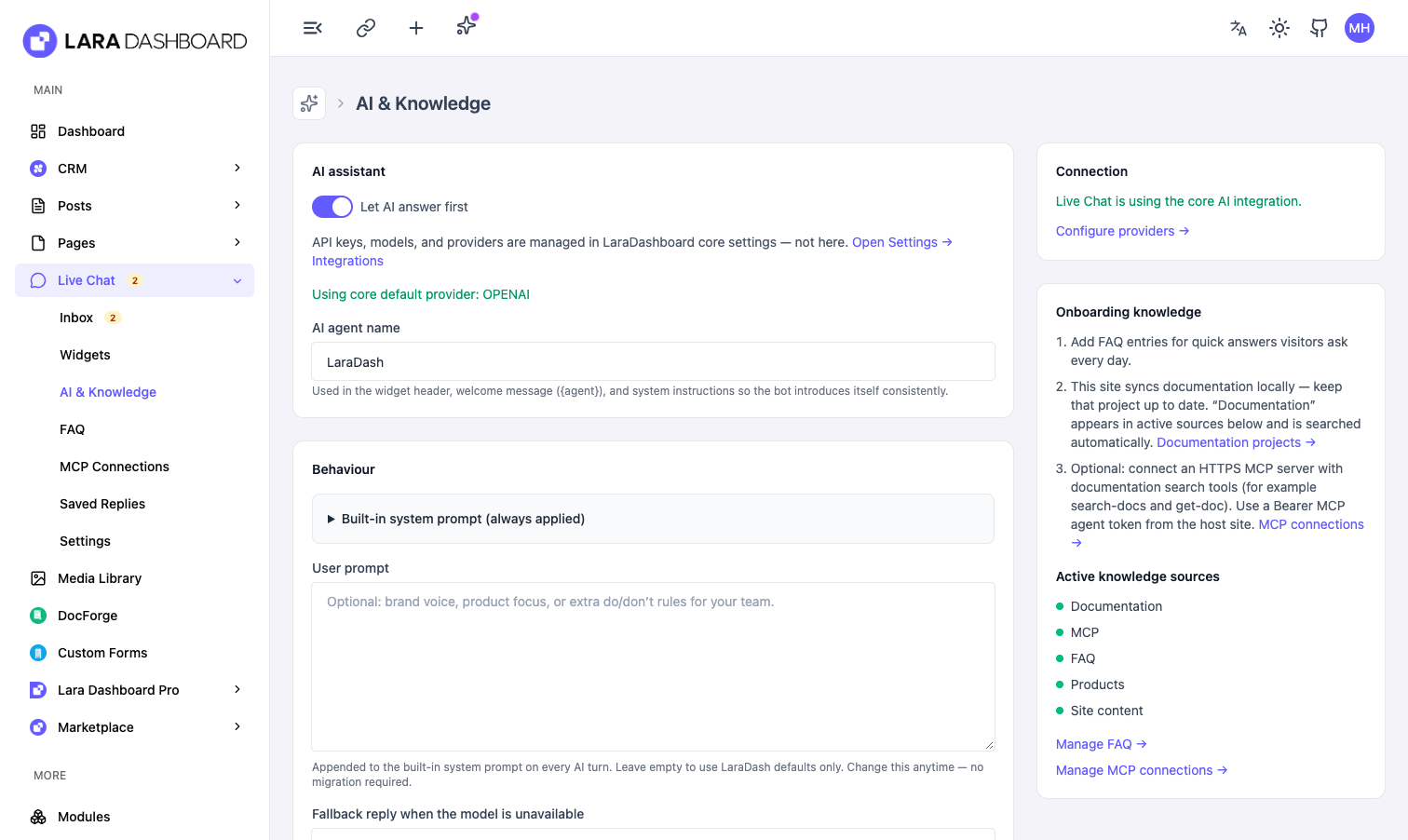
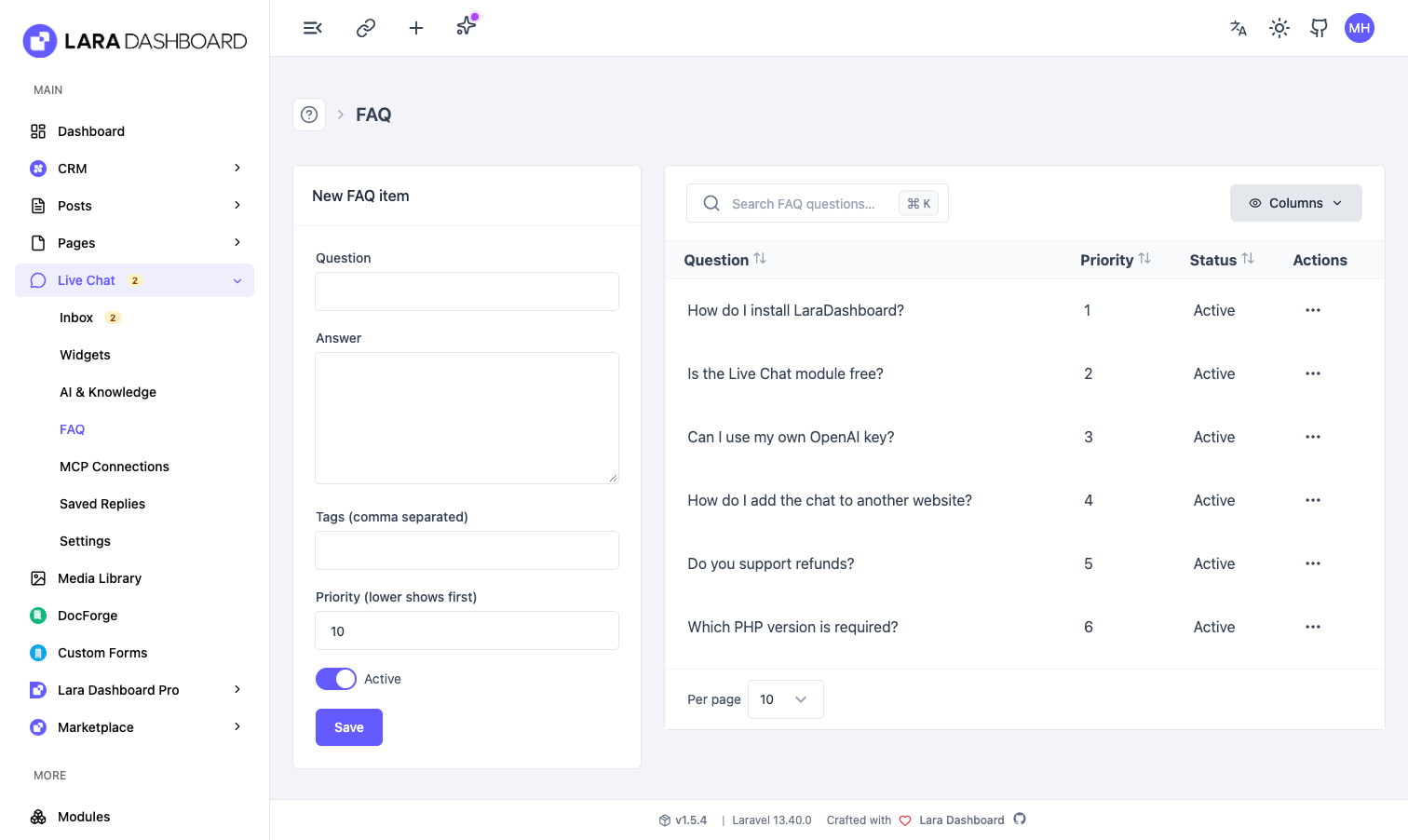
Knowledge you connect. A built-in FAQ pack, plus soft integrations that light up only when the module is present: CRM products (price, SKU, description), Doc Forge documentation, and published site posts and pages. Remote MCP tools are searched with generic term matching (titles, slugs, and document names) so you are not tied to one docs product.
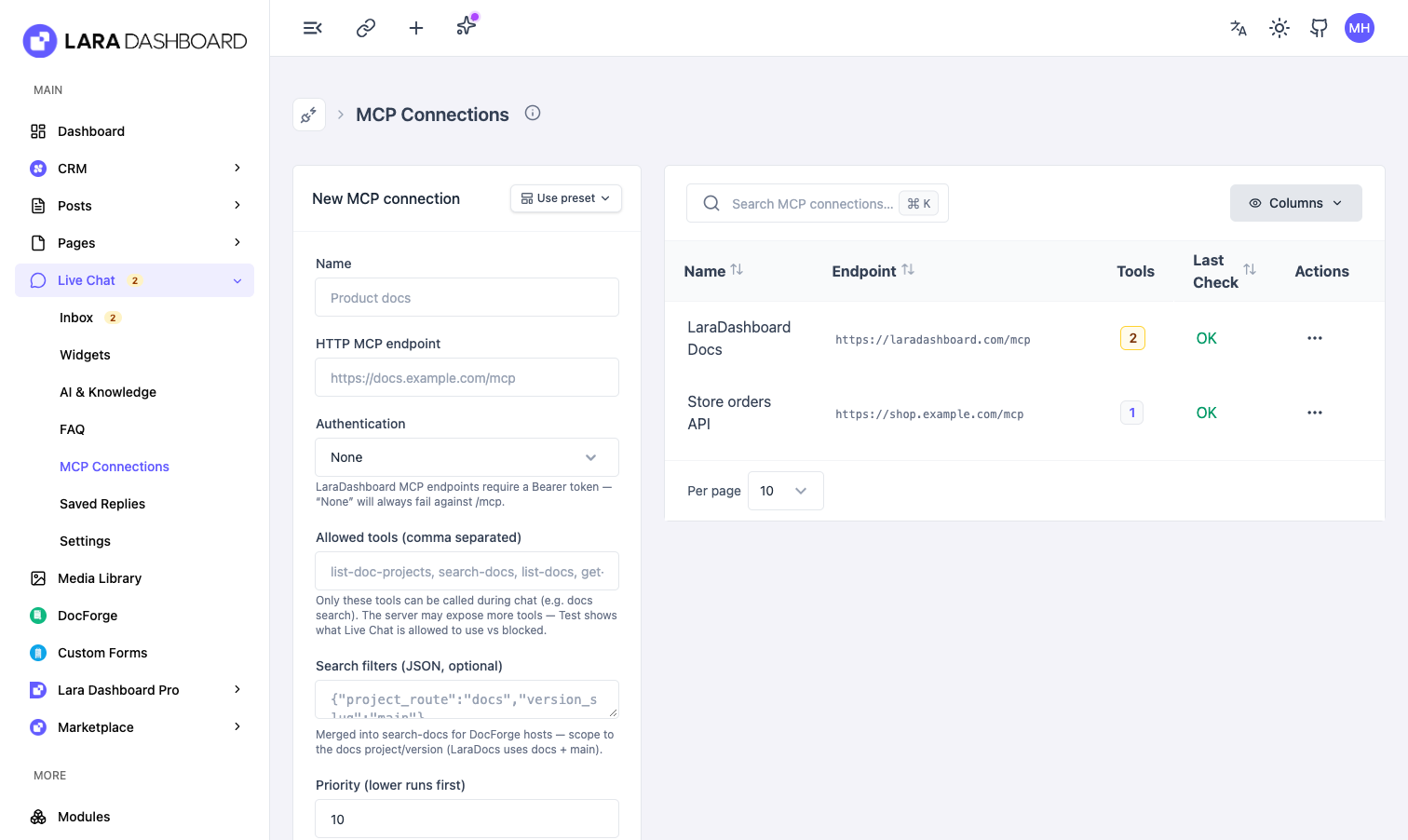
Multiple MCP servers. Connect any number of remote MCP endpoints — your docs export, a catalog microservice, a status page — with per-connection tool allowlists, encrypted secrets, and SSRF protection (HTTPS only, private addresses blocked unless you explicitly unlock a connection). The admin UI caches the last discovered tool list per connection. A failing server is skipped, never fatal.
Realtime you choose. Polling is the default and works on shared hosting with no daemon. Switch to Laravel Reverb or Pusher in settings; Live Chat falls back to polling automatically if the selected driver is not fully configured.
Deep customization. Colors, launcher size and position, corner radius, light/dark/system theme, custom CSS, greeting and every other string, GDPR consent gate, identity capture rules, and configurable home shortcuts — all per widget. Powered by LaraDashboard footer branding is off by default; turn it on under Admin → Live Chat → Settings if you want it.
One AI integration for the whole app. Live Chat uses LaraDashboard Settings → Integrations for API keys and models. The Live Chat AI & Knowledge screen only toggles whether the assistant runs and how it behaves (system prompt, fallbacks, turn limits, assistant display name) — it does not store duplicate provider credentials.
Readable AI and agent replies. Assistant and human messages support lightweight markdown (links, lists, code spans) in both the widget and the admin thread.
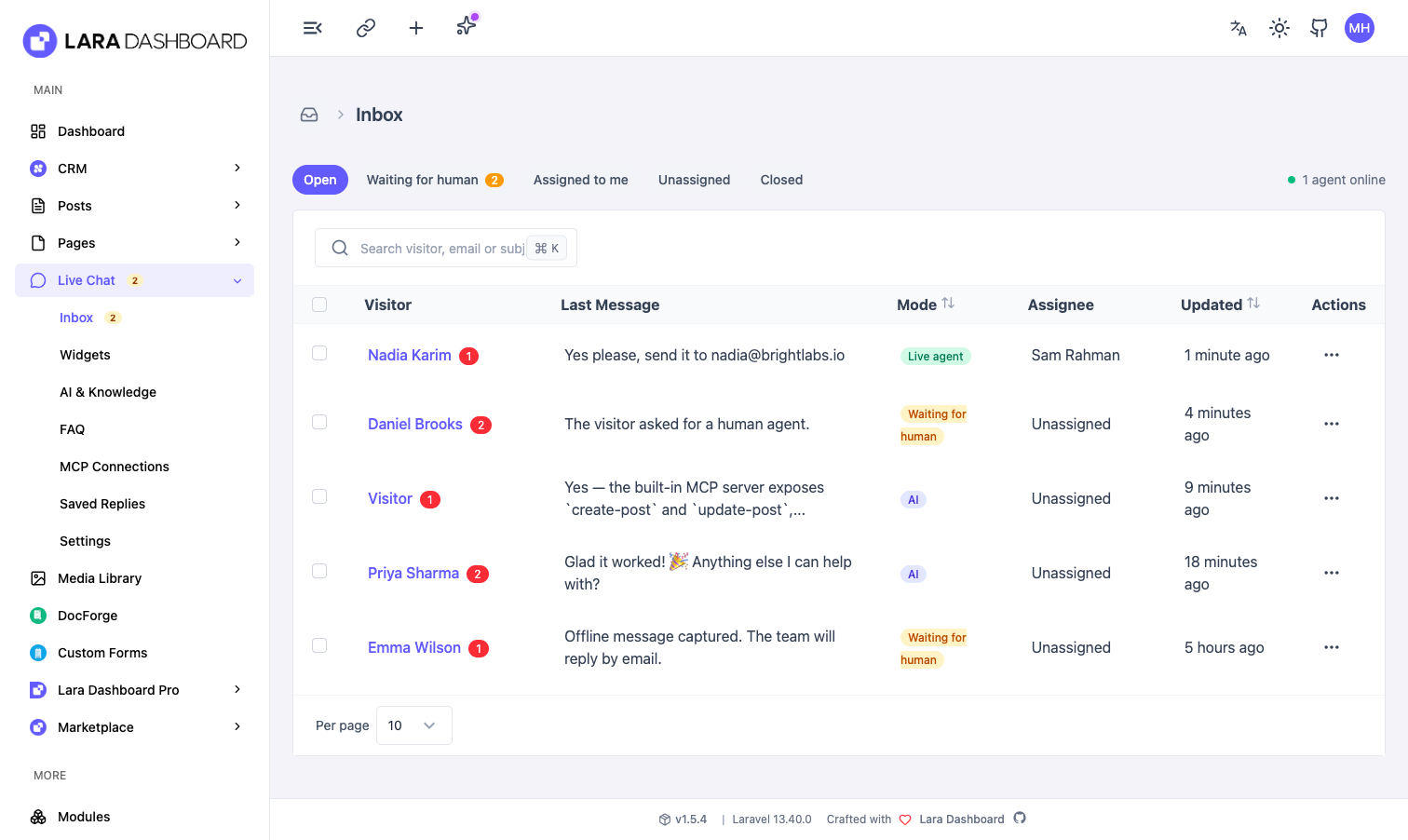
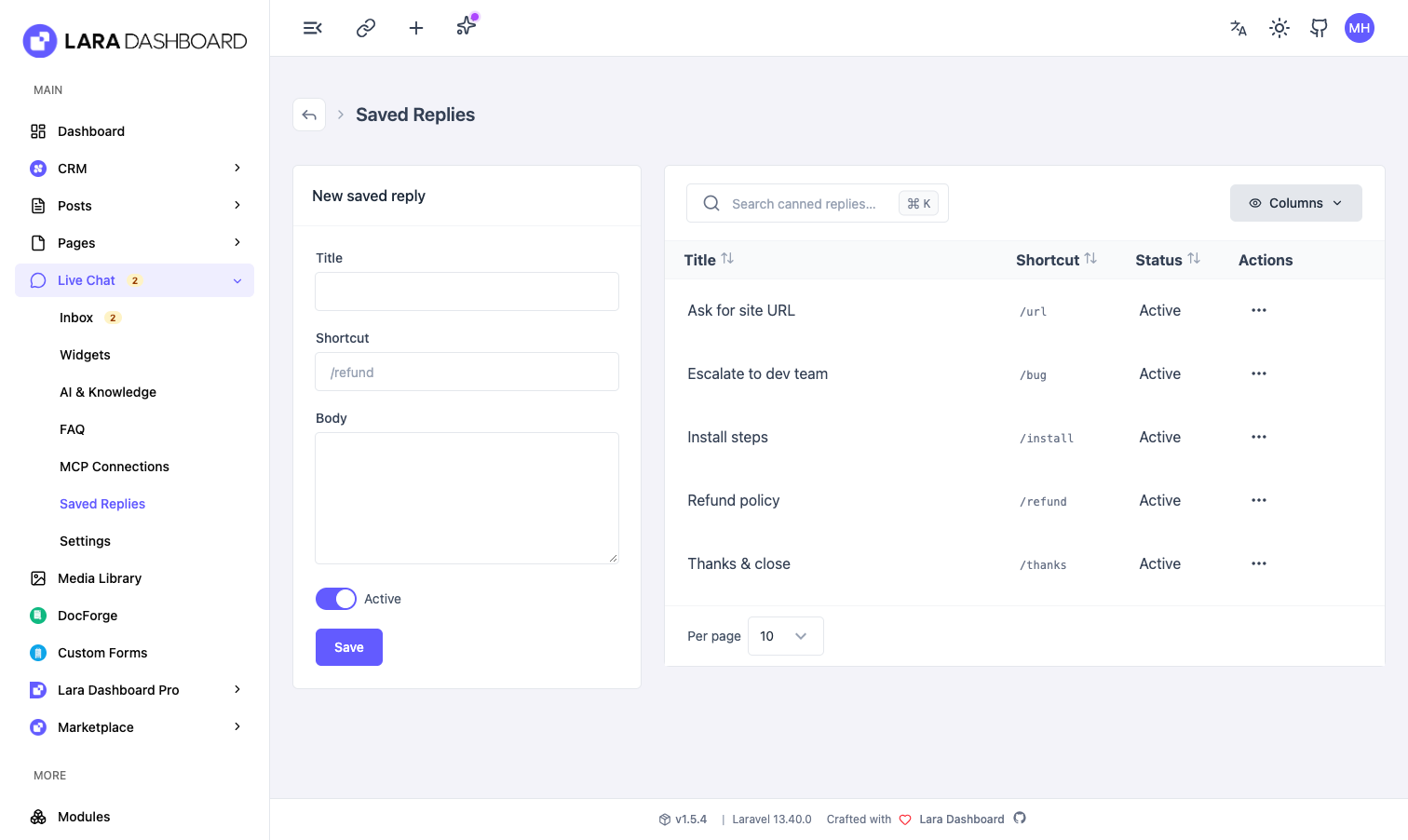
Agent inbox. Filter by open, waiting-for-human, assigned to you, unassigned, or closed. Reply with text or an attachment, claim, release, close, reopen, and bulk-close selected threads. Saved Replies support optional shortcuts (e.g. /refund): type the shortcut and press Space in the composer to expand, or send the shortcut alone. Presence heartbeats tell the widget whether anyone is actually around.
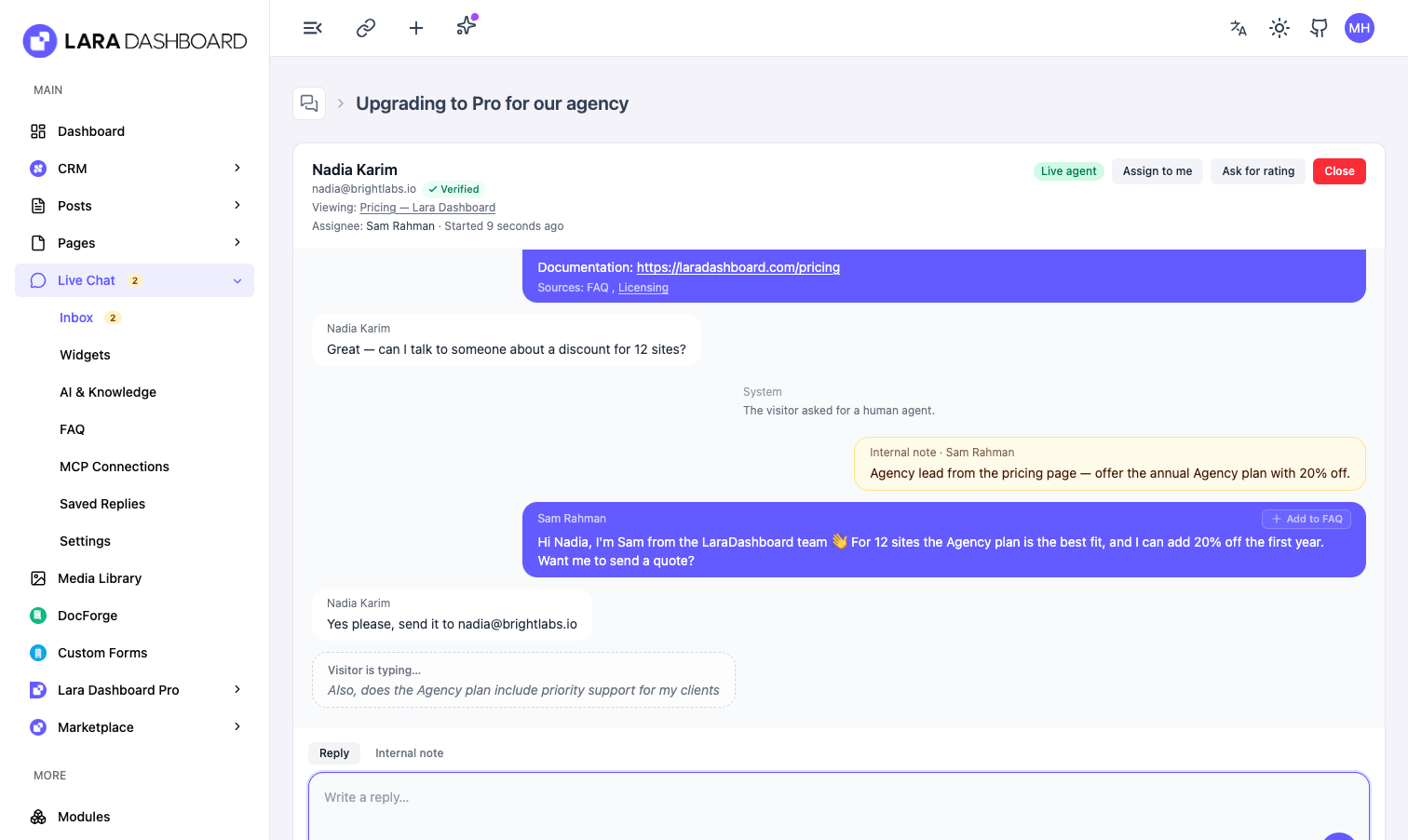
Internal notes. Switch the composer to Internal note to leave context for teammates. Notes are amber in the thread and are never sent to the visitor or the AI.
Typing indicators, both ways. Visitors see “Sam is typing…”, and agents see a live preview of what the visitor is writing so they can start answering early.
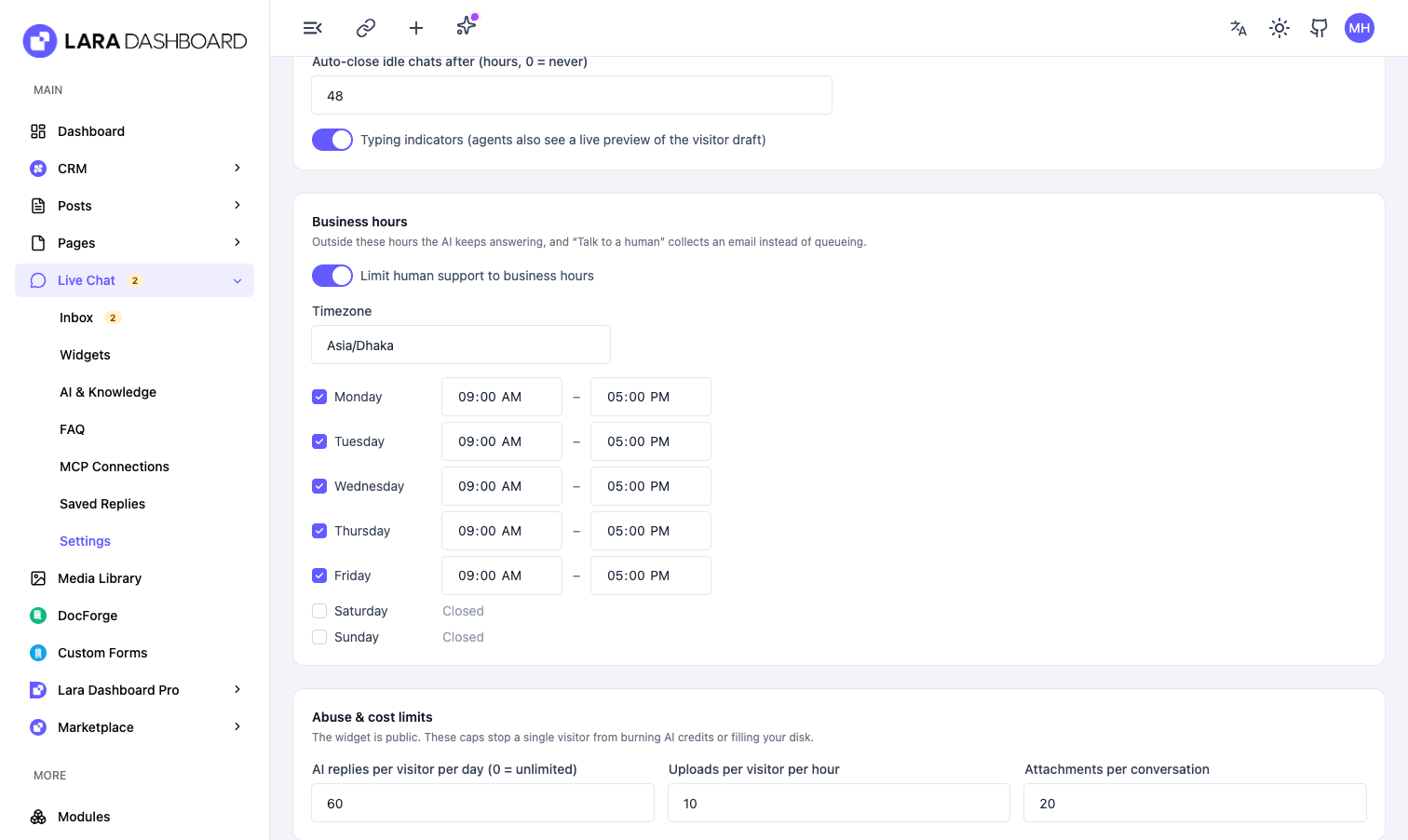
Business hours. Set opening hours per weekday and timezone. Outside them the AI keeps answering, the widget says when the team is back, and “Talk to a human” collects an email instead of queueing.
Tidy inbox, safe data. Idle chats close automatically after the hours you choose, and a retention window deletes old conversations together with their uploaded files (livechat:maintain, hourly via the scheduler).
Built for the public internet. Per-visitor daily AI reply budget and upload limits stop one visitor from burning credits or filling your disk. Every widget endpoint honours the origin allow-list, the visitor token travels in a header (not the URL), and realtime events are signal-only on a private agent channel.
Visitor context. The thread header shows the page the visitor is on and whether their identity is verified.
Operator MCP tools. Run support from your own AI agent with list-livechat-conversations, get-livechat-conversation, reply-livechat, close-livechat, and list-livechat-mcp-connections. Queued and unread counts also show up in the daily briefing.
Accessibility
The widget ships with keyboard send, Escape to close, aria-expanded on the launcher, a live region for incoming messages, visible focus rings, and a full-width mobile sheet.
Permissions
livechat.inbox, livechat.reply, livechat.assign, livechat.settings, livechat.canned, livechat.ai, livechat.mcp
An agent without livechat.settings or livechat.ai never sees your API keys or MCP secrets.
Screenshots
Reviews & Ratings
No reviews yet.
Purchase this module to be the first to review!
Version History
Released Nov 17, 2026
No changelog available for this version.
Module Statistics
0
Downloads
0
Active Installs
0.0
Average Rating
0
Reviews
Module Details
- Current Version
- 1.0.0
- Total Versions
- 1
- First Released
- Nov 17, 2026
- Last Updated
- 9 hours ago
- Min Lara Dashboard
- 1.5.0+
- PHP Version
- 8.3+
- Laravel Version
- 13.x
Lifetime
lifetime- New: Embeddable, dependency-free chat widget with a home screen, message history, attachments, CSAT ratings and a mobile sheet.
- New: Shows on every public page of your LaraDashboard site automatically (Settings → Install → Show on this website); one script tag for any other site.
- New: AI answers first, grounded in your FAQ, CRM products, DocForge docs, site content and any number of remote MCP servers, with sources under every reply.
-
New: Human handoff in the same thread, agent inbox with filters, claim/release, bulk close, saved replies with
/shortcuts, and "Add to FAQ" from any reply. - New: Internal notes that the visitor and the AI never see.
- New: Typing indicators both ways, with a live preview of the visitor's draft for agents.
- New: Business hours per weekday and timezone; outside them the widget offers the offline form and says when the team is back.
- New: Offline lead capture as a CRM ticket (when CRM is installed) or an email to your team.
-
New: Auto-close idle chats and a data-retention window that also deletes uploaded files (
livechat:maintain, hourly). - New: HMAC identity verification with a Verified badge in the inbox.
- New: Visitor's current page in the thread header.
- New: Polling by default, with Laravel Reverb and Pusher drivers.
- New: Operator MCP tools and daily-briefing counts for running support from your own AI agent.
- Security: Per-visitor AI reply budget and upload limits, origin allow-list on every endpoint, visitor token in a header, signal-only realtime events on a private agent channel, and http(s)-only source links.
- Chore: Requires LaraDashboard 1.5.0 or newer.
Module Information
Author

Lara Dashboard
Module Developer