 Live Chat module
AI answers first. Humans when it matters.
Add a chat to your site in one click. The assistant answers from your FAQ, docs and MCP servers, and the moment a visitor needs a person, your team takes over in the same thread.
- On your site in one click
- Your data stays on your server
- 7-day money-back guarantee

Overview AI answers, one-tap handoff, typing previews, saved replies and ratings in under a minute
One conversation, from bot to human
-
The AI answers in seconds
Grounded in your FAQ, CRM products, DocForge docs, site pages and any MCP server you connect, with the sources listed under every reply. Greetings and thanks are answered instantly without an AI call.
-
A human takes over, same thread
One tap on “Talk to a human” moves the chat to your inbox with the whole transcript. Your agent sees what the visitor is typing and replies in real time.
-
Nobody online? It becomes a lead
Outside business hours or with no agent around, the visitor leaves an email. It lands as a CRM ticket when CRM is installed, or as an email to your team.
A support desk that never sleeps
Install it on your Lara Dashboard site and the chat shows on every public page. Paste one script tag to add it to any other website.
-
AI that cites its sources
Answers only from knowledge you control and shows where each answer came from. No made-up prices or policies.
-
Multiple MCP servers
Connect your docs, a store API or any MCP endpoint with per-connection tool allow-lists. A failing server is skipped, never fatal.
-
Human inbox
Open, waiting, assigned to me, unassigned and closed tabs, claim and release, bulk close and unread badges.
-
Internal notes
Leave context for teammates right in the thread. Notes are never shown to the visitor or the AI.
-
Typing indicators
Visitors see “Sam is typing…”, and agents see a live preview of the visitor’s draft to answer faster.
-
Business hours
Set hours per weekday and timezone. Outside them the widget says when you are back and collects an email.
-
Saved replies & FAQ
Type /refund and press Space to expand a saved reply. Turn any good answer into an FAQ entry in one click.
-
Verified visitors
Signed-in users are identified automatically, with an HMAC Verified badge so nobody can pose as a customer.
-
Deep customization
Colors, launcher, position, light or dark theme, home-screen shortcuts, every string and a GDPR consent gate.
-
Attachments & ratings
Images, PDFs and text files up to 5 MB, plus a star rating your agent can request at any time.
-
Auto-close & retention
Idle chats close on their own and old conversations, files included, are deleted after the window you set.
-
Run it from your AI agent
Operator MCP tools let Claude or Cursor list, read, reply to and close conversations for you.
Built for the public internet: per-visitor AI budgets and upload limits, an origin allow-list, and polling that works on any host, with Laravel Reverb or Pusher when you want websockets.
Answers grounded in what you actually wrote
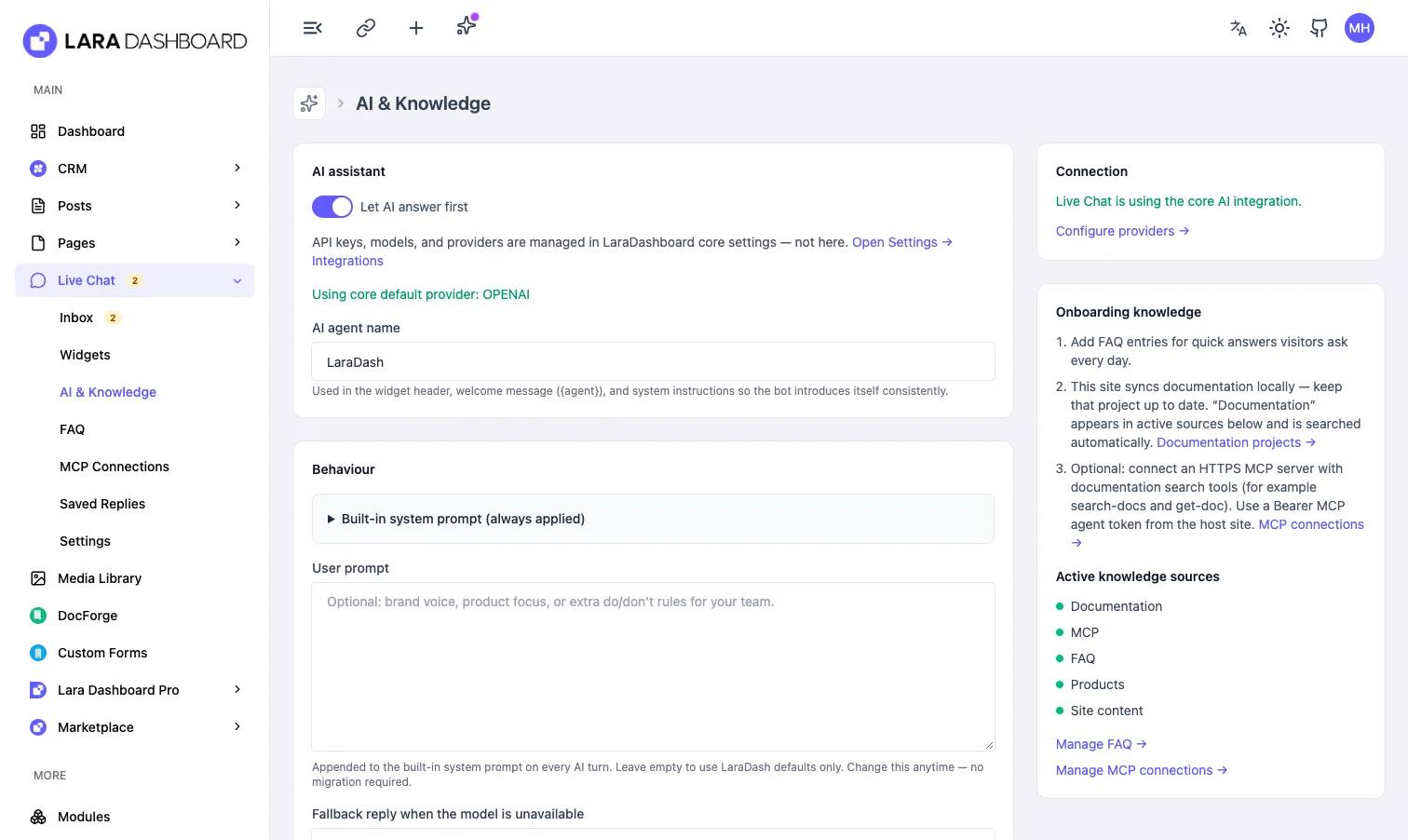
The assistant searches your FAQ, CRM products, DocForge documentation, published pages and every connected MCP server, then replies in a sentence or two with the sources underneath. When it has nothing to go on, it says so plainly instead of guessing.
- Uses the AI provider you already set up in Lara Dashboard
- Built-in small talk, so “hi” and “thanks” never spend tokens
- A daily reply budget per visitor keeps your AI bill predictable
Step in without losing a word
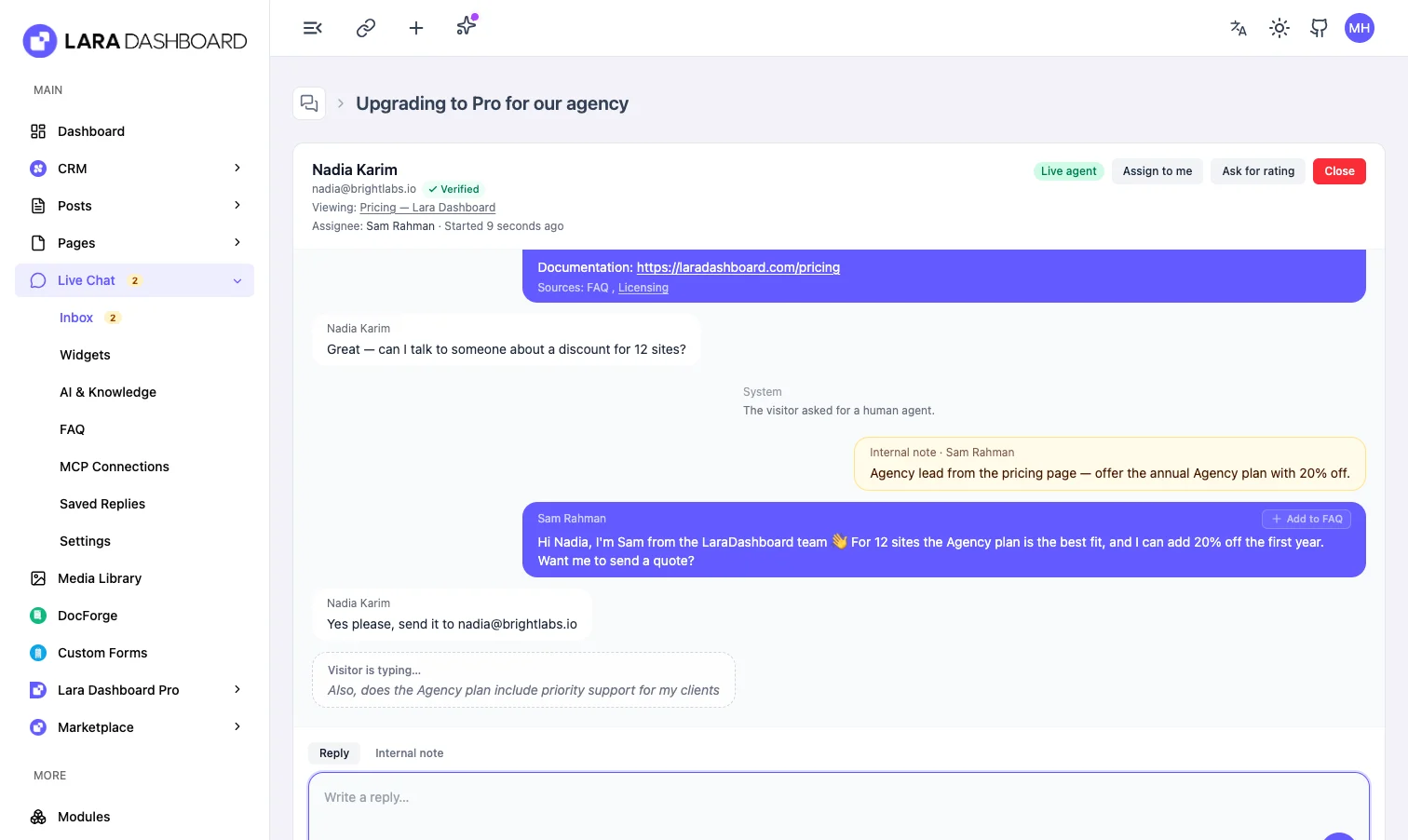
When a visitor asks for a person, the chat moves to your inbox with the full transcript, the page they are on and whether their identity is verified. Reply, leave an internal note for a teammate, attach a file or ask for a rating.
- Live preview of what the visitor is typing
- Internal notes in amber, never sent to the visitor
- Claim, release back to the queue, close and reopen
A chat that looks like it belongs on your site
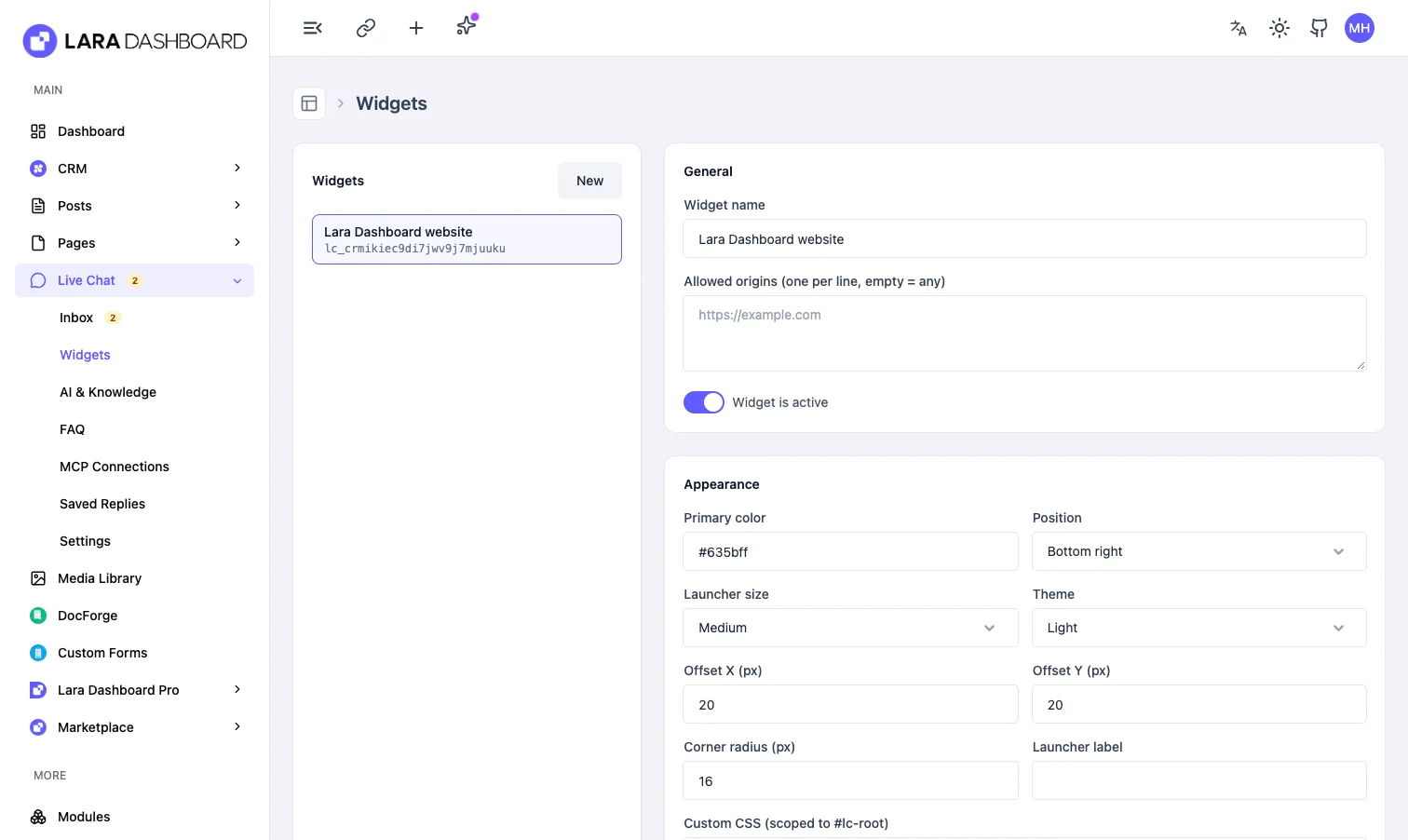
Pick colors, position, launcher size, corner radius and a light, dark or system theme. Add home-screen shortcuts such as “Report an issue”, rewrite any text and turn on a GDPR consent gate, all per widget.
- Shows on your Lara Dashboard site automatically, never on admin pages
- One script tag for any other website, with an origin allow-list
- Keyboard friendly, screen-reader labels and a full-screen mobile sheet
Support that respects your opening hours
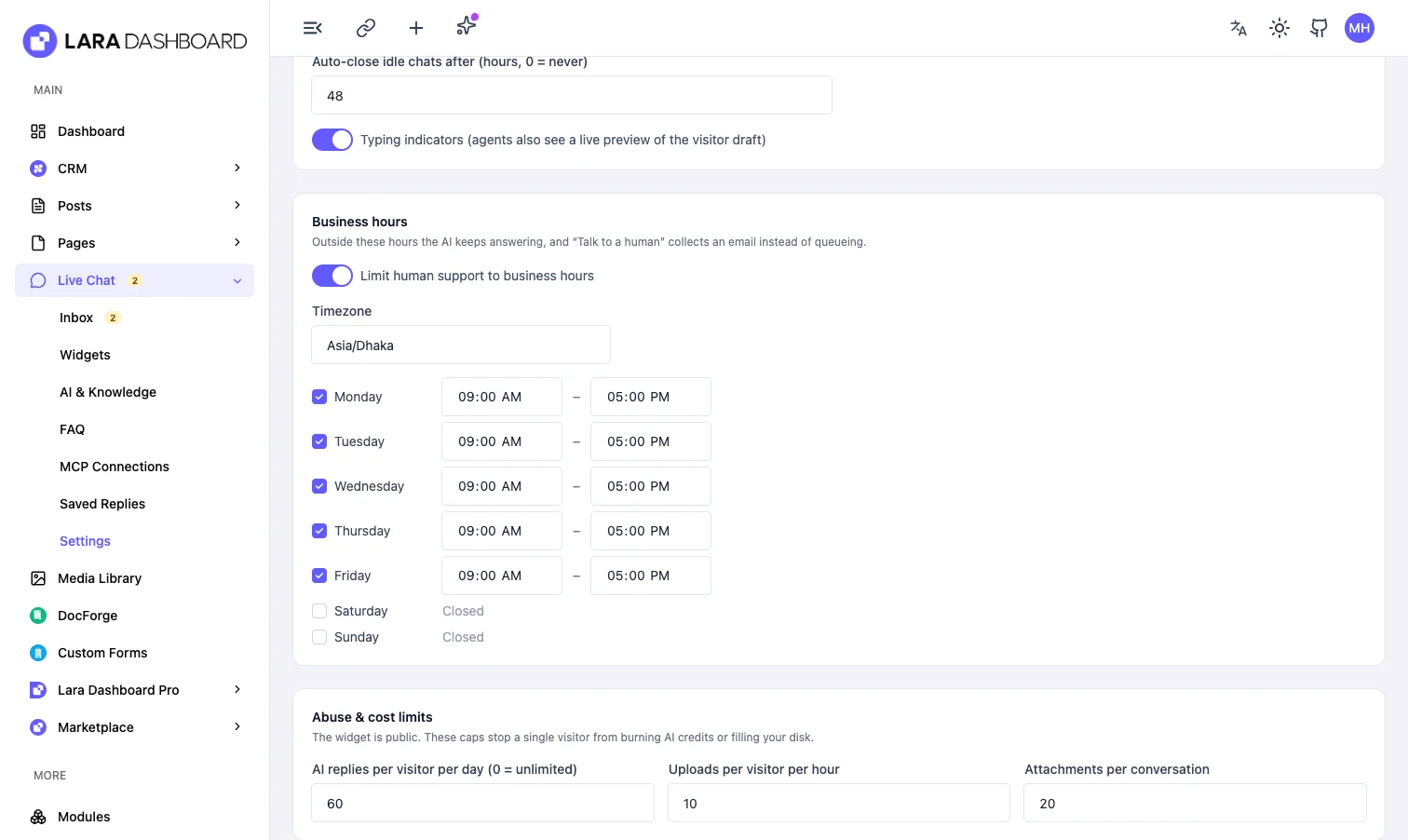
Set opening hours per weekday in your timezone. Outside them the AI keeps answering, the widget tells visitors when you are back and “Talk to a human” collects an email instead of sitting in a queue. Idle chats close themselves.
- Business hours per day with a timezone
- Auto-close idle chats after the hours you choose
- Retention window that also deletes old uploads
Plug in any knowledge your business already has
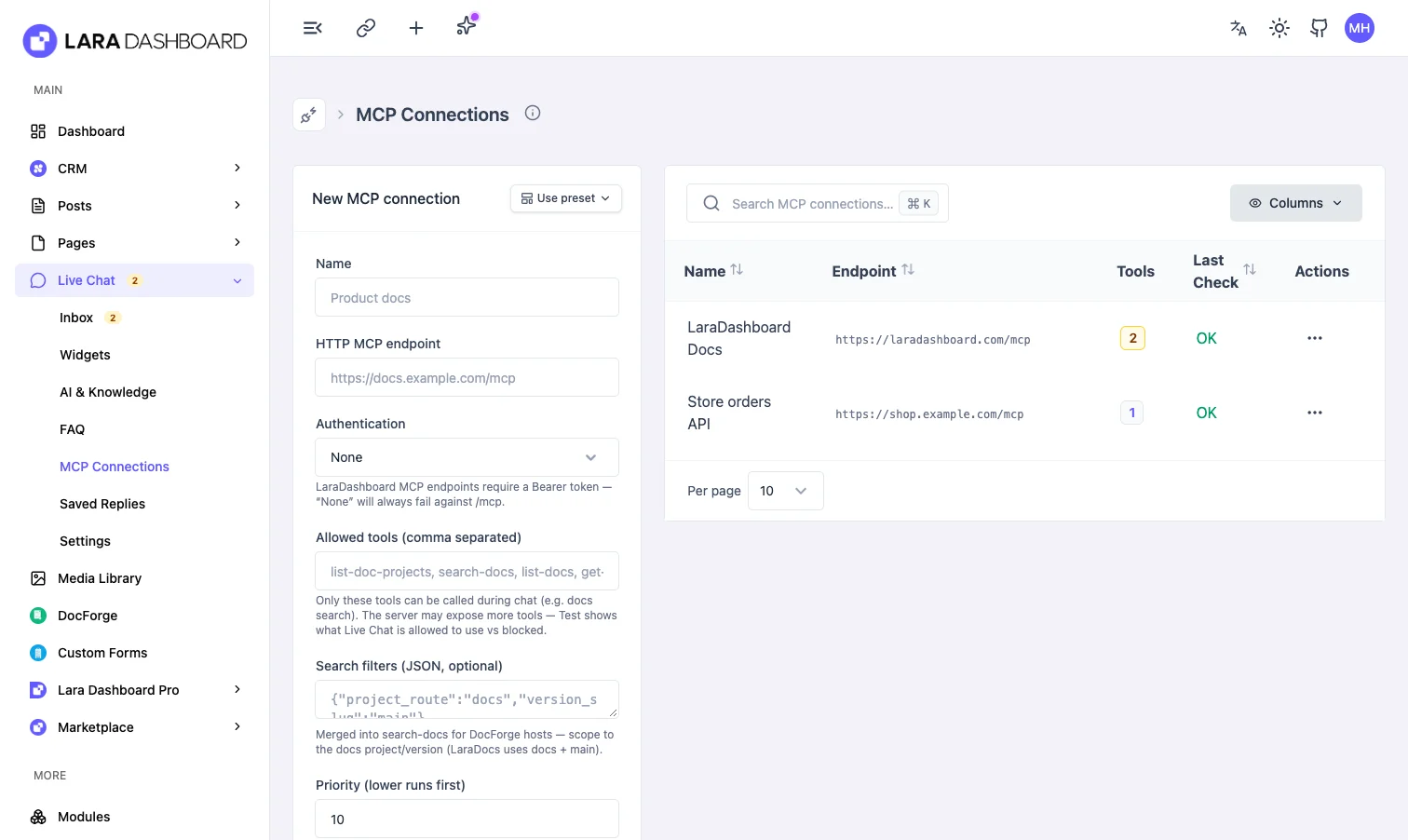
Connect remote MCP servers such as your documentation site or an orders API. Choose which tools the assistant may call, test the connection and see when it was last checked. Private networks are blocked unless you allow them.
- Any number of HTTPS MCP endpoints
- Per-connection tool allow-lists and encrypted tokens
- A slow or broken server is skipped, never fatal
See every screen
Real screens from the module. Click any one to view it full size.
Watch Live Chat in action
Short, real-screen tours of each feature.
-
 1 min
Teach it your business
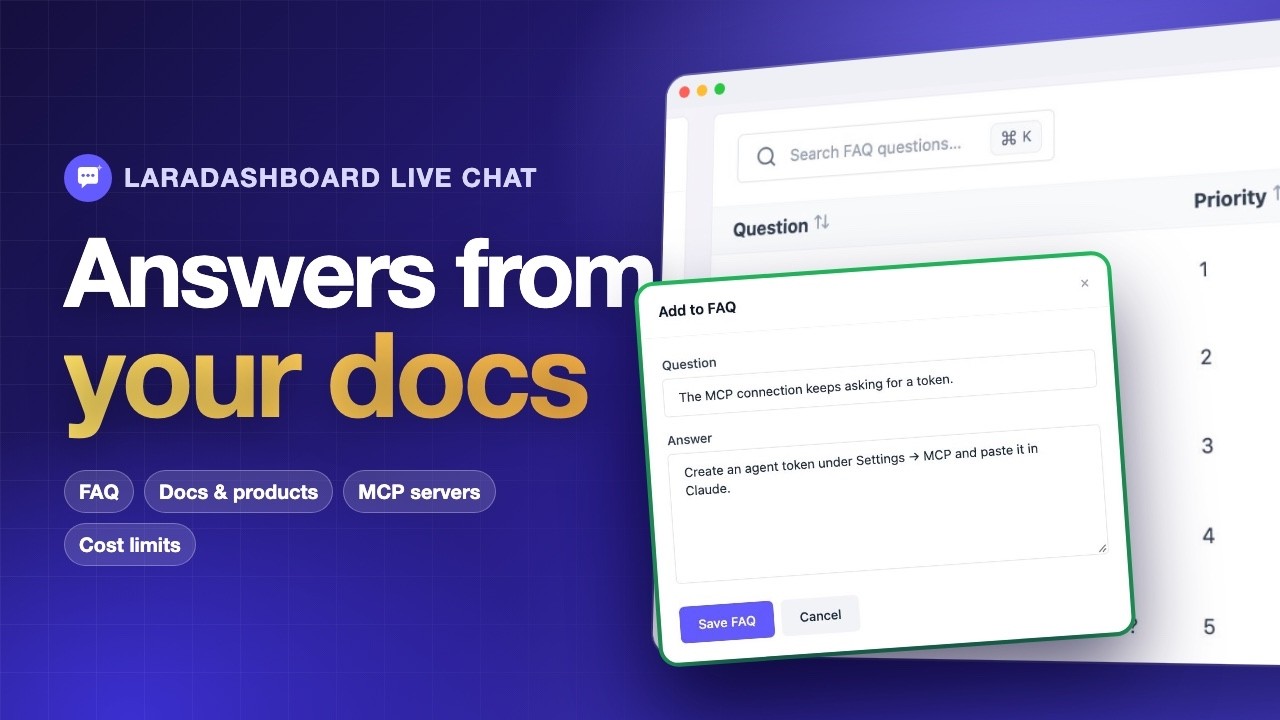
Add FAQ answers, turn a great agent reply into one, pick the docs, products and MCP tools the AI may use, and cap AI use per visitor.
-
 1 min
On any site in two minutes
Set your colour and wording, go live on every page, paste one snippet on other sites, and turn offline messages into CRM tickets.
Simple pricing. Every visitor answered.
Install it on your site in a minute, covered by a 7-day money-back guarantee.
Lifetime
lifetime- New: Embeddable, dependency-free chat widget with a home screen, message history, attachments, CSAT ratings and a mobile sheet.
- New: Shows on every public page of your LaraDashboard site automatically (Settings → Install → Show on this website); one script tag for any other site.
- New: AI answers first, grounded in your FAQ, CRM products, DocForge docs, site content and any number of remote MCP servers, with sources under every reply.
-
New: Human handoff in the same thread, agent inbox with filters, claim/release, bulk close, saved replies with
/shortcuts, and "Add to FAQ" from any reply. - New: Internal notes that the visitor and the AI never see.
- New: Typing indicators both ways, with a live preview of the visitor's draft for agents.
- New: Business hours per weekday and timezone; outside them the widget offers the offline form and says when the team is back.
- New: Offline lead capture as a CRM ticket (when CRM is installed) or an email to your team.
-
New: Auto-close idle chats and a data-retention window that also deletes uploaded files (
livechat:maintain, hourly). - New: HMAC identity verification with a Verified badge in the inbox.
- New: Visitor's current page in the thread header.
- New: Polling by default, with Laravel Reverb and Pusher drivers.
- New: Operator MCP tools and daily-briefing counts for running support from your own AI agent.
- Security: Per-visitor AI reply budget and upload limits, origin allow-list on every endpoint, visitor token in a header, signal-only realtime events on a private agent channel, and http(s)-only source links.
- Chore: Requires LaraDashboard 1.5.0 or newer.
Questions, answered
Do I need an OpenAI account?
The assistant uses the AI provider you configure once in Lara Dashboard under Settings → Integrations. Without one, the widget still works: visitors chat with your team, and built-in replies handle greetings.
Will the AI make things up?
It answers only from the knowledge you connect (FAQ, products, docs, pages and MCP servers) and lists its sources. When nothing matches, it says so and offers a human.
Can I put the chat on a site that is not Lara Dashboard?
Yes. Copy the install snippet from Live Chat → Widgets and paste it before </body> on any website. You can limit which domains may load it.
Does it need websockets or a special server?
No. It works with polling on any host, including shared hosting. Switch to Laravel Reverb or Pusher in settings whenever you want instant delivery.
Where is the chat data stored?
In your own database, on your own server. Set a retention window and old conversations and their files are deleted automatically.
What happens when nobody is online?
The AI keeps answering. If the visitor still wants a person, they leave an email, which becomes a CRM ticket when the CRM module is installed or an email to your team.
What if it is not for me?
Every plan has a 7-day money-back guarantee.
Answer every visitor, day and night
AI answers from your own knowledge, a human inbox with notes and typing indicators, and business hours that work for your team. Covered by a 7-day money-back guarantee.