What is Lara Dashboard? The Modern Laravel CMS Built for Developers
If you have ever tried to bolt a content management layer onto an existing Laravel application, you know the pain. You either end up wrestling with a bloated third-party package or building everything from scratch. LaraDashboard was created to solve exactly that problem.
A CMS That Speaks Laravel
Lara Dashboard is an open-source, production-ready content management system built natively in Laravel. It supports every major release from Laravel 7 all the way through Laravel 12, so whether you are maintaining a legacy project or starting fresh on the latest framework, LaraDashboard fits right in.
Unlike headless CMSes or WordPress-like platforms ported to PHP frameworks, LaraDashboard follows the conventions Laravel developers already know: Eloquent models, Blade templates, service providers, and Artisan commands. There is no new paradigm to learn.
Core Capabilities at a Glance
Content Management with a Block Editor
Create posts, pages, and custom content types using a drag-and-drop block editor. Each block is stored as structured JSON, which means you get both visual editing for content creators and full programmatic access for developers. Need to render the same content in a mobile app? Query the JSON directly through the REST API.
Role-Based Access Control
Lara Dashboard ships with granular role and permission management powered by Spatie's battle-tested permission package. Define roles like Editor, Manager, or Super Admin, then assign fine-grained permissions at the feature level. Every controller action checks authorization through Laravel policies and gates, so your security model is consistent from top to bottom.
Modular Architecture
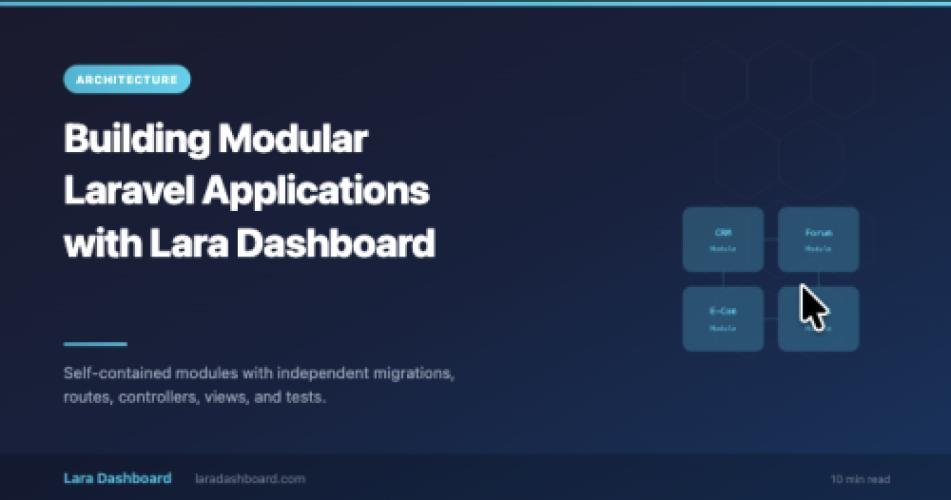
The entire platform is built on a module system. Each feature, whether it is a CRM, a forum, an e-commerce catalog, or a custom form builder, lives in its own self-contained module with dedicated migrations, routes, controllers, views, and tests. You enable only what you need and disable everything else. This architecture means you can build your own modules and distribute them through the built-in marketplace.
AI-Powered Content Generation
LaraDashboard integrates with AI providers like OpenAI and Anthropic to help you generate, optimize, and refine content directly inside the editor. Whether you need a first draft, a better meta description, or a rewritten paragraph, the AI agent is one click away.
REST API
with Auto-Generated Documentation Every resource in LaraDashboard is accessible through a RESTful API. Authentication is handled by Laravel Sanctum, and API documentation is auto-generated using Scramble. Point your front-end, mobile app, or third-party integration at the `/docs/api` endpoint and start building.
Multi-Language Support
Ship your application in over 21 languages. The built-in translation manager lets you add, edit, and organize translation keys without touching language files manually. When a new locale is needed, scaffold it from the admin panel and start translating.
Who Is LaraDashboard For?
1. Solo developers: who need a ready-made admin panel with content management, user roles, and extensibility without spending weeks on boilerplate.
2. Agencies: that deliver client projects on Laravel and want a reusable foundation they can customize per engagement.
3. SaaS builders: who need a modular back-office system where features can be toggled, sold, or distributed as separate packages.
4. Open-source contributors: who want to participate in a growing Laravel ecosystem project with clean architecture, thorough tests, and welcoming maintainers.
The Tech Stack
Lara Dashboard is built on a modern, well-supported stack: -
- Backend: PHP 8.3+, Laravel 12, Eloquent ORM, Livewire 3
- Frontend: Tailwind CSS v4, Alpine.js, Vite
- Testing: Pest with parallel execution, PHPStan, Laravel Pint
- Monitoring: Laravel Pulse for real-time performance tracking
- Hosting: Runs on any Laravel-compatible host, including shared hosting with cPanel
- Frontend: Tailwind CSS v4, Alpine.js, Vite
- Testing: Pest with parallel execution, PHPStan, Laravel Pint
- Monitoring: Laravel Pulse for real-time performance tracking
- Hosting: Runs on any Laravel-compatible host, including shared hosting with cPanel
Getting Started in Under Five Minutes:
Clone the repository, run the standard Laravel setup commands, seed the database, and you have a fully functional CMS with sample data, a super admin account, and every module enabled. The README walks you through each step, and a live demo is available if you want to explore before installing.
What Comes Next
Lara Dashboard is actively maintained and follows semantic versioning. The roadmap includes enhanced e-commerce capabilities, a visual theme editor, deeper AI integration, and an expanded module marketplace. Community contributions are welcome, and the project follows Laravel's own conventions for pull requests and issue tracking.
Ready to try it? Visit laradashboard.com to explore the live demo or check out the repository to get started.